How Do You Write User Stories That Actually Drive Development?
TL;DR
User stories describe functionality from the user's perspective, enabling cross-team clarity, non-technical participation, and effective prioritization. But they require proper format, well-defined acceptance criteria, and integration with technical specifications to deliver real value. This guide covers story writing, epics, backlog management, sprint planning, and the common mistakes that turn user stories into busywork.
19 min read·Updated | Based on the Innovation Mode methodology
What you'll learn
What a user story is, the standard format, and how stories differ from tasks
What makes a story great: the INVEST criteria and the most common mistakes
Epics, story hierarchy and when to split stories
Backlog prioritization and refinement, acceptance criteria and the Definition of Done
How stories create cross-team clarity, and how AI can help write them
Foundational Concepts
Understanding user stories and their role in agile development.
User stories are simple yet powerful constructs that describe pieces of functionality from a user's point of view, expressed in a compact, non-technical way. They reflect what a particular class of user needs and the value to be gained - making them essential for cross-team clarity and stakeholder alignment.
Describe functionality from the user's perspective, not the technical implementation
Use plain language that both technical and non-technical team members understand
Focus on the 'what' and 'why', not the 'how'
Enable meaningful product discussions within the team and with stakeholders
Provide a solid basis for communication and collaboration focused on user value
Serve as key elements of agile engineering and iterative development
Key Takeaway
User stories provide an excellent way to define your product with clarity - articulating functionality using plain English with no technicalities or implementation details.
What is the standard format for writing user stories?
#
The most common user story format follows a simple template: 'As a [role/persona], I want [goal/need] so that [value/benefit].' This structure ensures every story captures who needs the feature, what they need, and why it matters to them.
Standard format: 'As a [role or persona], I want [goal/need] so that [benefit]' (some teams write 'I can' for capabilities)
Alternative: 'As a [particular class of user], I want to [be able to do something] so that [I get some form of value]'
The 'As a...' part defines the perspective - how that user perceives the functionality
The 'I want...' part describes the specific need or capability
The 'so that...' part articulates the value or benefit - the 'why' behind the request
Keep stories simple, solid, and free of technical jargon
Key Takeaway
The format is straightforward, but writing great user stories requires practice. The key is maintaining the user's perspective throughout and clearly articulating the value delivered.
Keep the user's perspective throughout, state the value clearly and leave out technical jargon.
What's the difference between user stories and tasks?
#
User stories are about definition - describing what users need. Tasks are about implementation - the work required to deliver that need. A single user story usually breaks down into several tasks across design, development and testing.
User stories describe the 'what' - the functionality from a user's perspective
Tasks describe the 'how' - specific implementation work to be done
Stories focus on user value; tasks focus on technical execution
One story typically decomposes into many tasks across design, development, and testing
Stories remain stable; tasks may change as implementation details evolve
When writing stories, focus on product features - not implementation details
Key Takeaway
Confusing stories with tasks is a common mistake. Keep your stories focused on clarifying what users need and why - leave the how to technical specifications and task breakdowns.
Why are user stories essential to agile development?
#
User stories are foundational to agile because they keep the focus on user value, enable iterative delivery, and facilitate the collaboration that agile requires. They provide a common language that bridges product, design, engineering, and business stakeholders.
Achieve cross-team clarity on 'what' to build, for 'whom', 'why', and 'when'
Enable iterative delivery - stories can be prioritized, sequenced, and delivered incrementally
Encourage participation by non-technical members who can think 'as a user'
Remove technical jargon that introduces noise and risk to projects
Support prioritization discussions grounded in user value, not technical complexity
Serve as entry points for deeper technical discussions and specifications
Key Takeaway
In complex software projects with multiple technologies and team members, user stories remove the technical dimension so everyone can contribute by simply thinking from the user's perspective. For a glossary of related terms, see the Innovation Dictionary.
Best practices for creating effective, valuable user stories.
What makes a user story 'great' versus just acceptable?
#
Great user stories are simple yet precise, focused on user value, and written at the right level of abstraction. They enable the team to deeply understand user needs without getting lost in implementation details or ambiguous language.
Stay high-level but accurate - simple and solid, avoiding buzzwords and acronyms
Focus on providing clarity about product features, not technical implementation
Write from genuine understanding of real users - their profiles, expectations, and pain points
Think from the user's point of view, understanding their underlying needs and expected value
Make stories testable - you should be able to verify when the story is 'done'
Keep them independent where possible so they can be prioritized and delivered separately
Key Takeaway
Writing stories is easy; writing great ones is tricky. The difference lies in truly understanding your users and articulating their needs with precision and simplicity.
How important is user research before writing stories?
#
Essential. You need to discover and study the real users of your product - capturing their profiles, viewpoints, expectations, and pain points - before writing stories. User research generates the insights that make stories accurate and valuable.
Identify your key user types - ideally expressed as personas - before compiling stories
Use user research techniques to understand needs, behaviors, and pain points
Capture user profiles with enough detail to inform story writing
Understand the context in which users will interact with your product
Validate assumptions about user needs through interviews, observation, and data
Keep personas updated as you learn more about your actual users
Key Takeaway
No matter what techniques you use, you need a clear picture of your key users before writing stories. Without this foundation, stories become assumptions rather than insights. Structured product discovery is the best way to build this understanding systematically.
Should I constrain user stories to what's currently feasible?
#
No - think big and let 'crazy' user stories enter the backlog. When describing a product as a set of user stories, there's no good reason to constrain your thinking by budget, time, feasibility, or cost. The administrative overhead of an extended backlog is small; the value in terms of product clarity and vision is massive.
Think big - don't self-censor based on current constraints
Let ambitious or 'crazy' ideas enter the backlog as stories
Use prioritization to manage scope, not deletion
An extended backlog provides product clarity, vision, and future opportunities
Constraints change over time - today's impossibility might be tomorrow's priority
The cost of maintaining additional stories is minimal compared to losing good ideas
Key Takeaway
Ambition in the backlog is cheap; prioritization, not self-censorship, is what keeps scope under control.
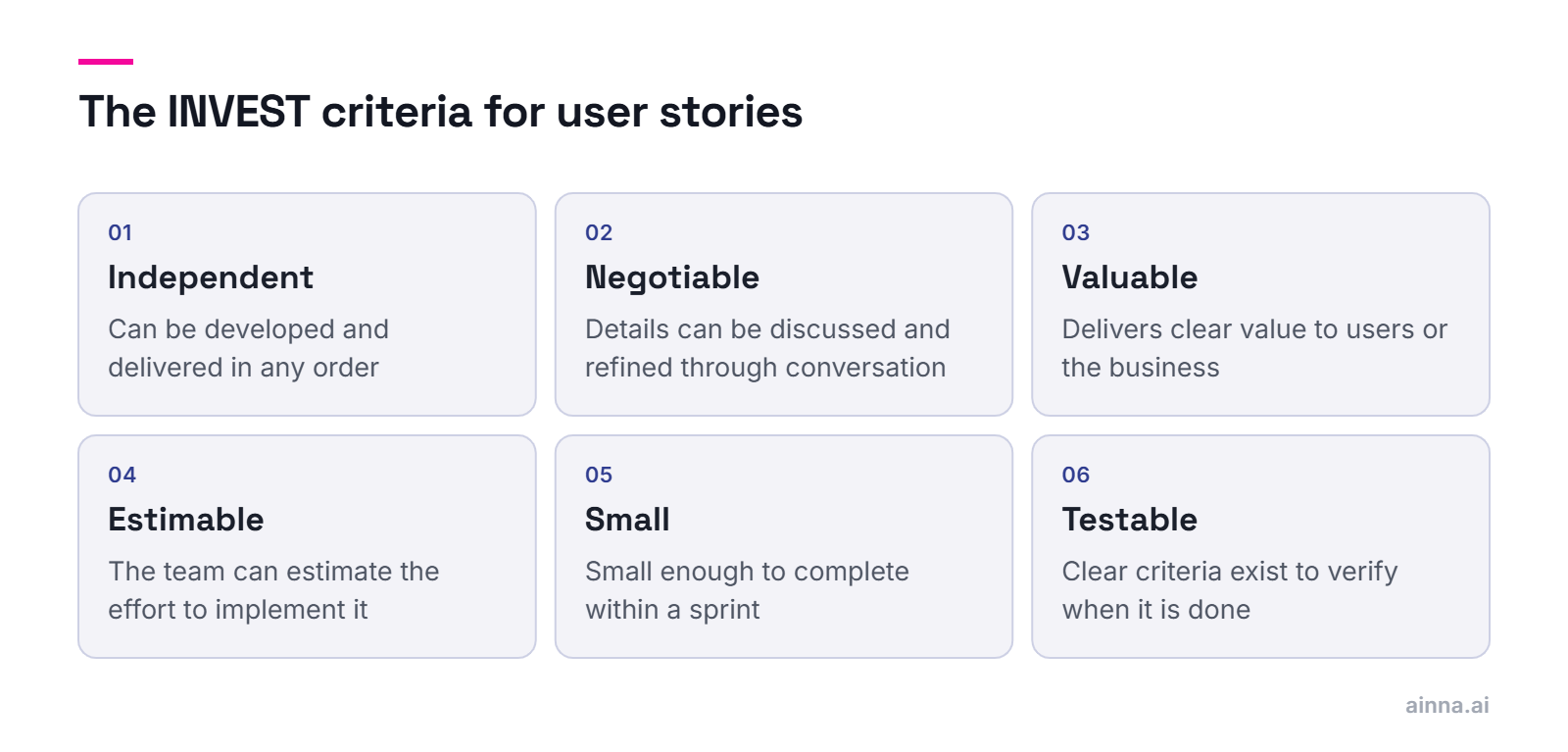
INVEST is a widely-used checklist for evaluating user story quality. Stories should be Independent, Negotiable, Valuable, Estimable, Small, and Testable. Meeting these criteria makes stories easier to prioritize, plan, and deliver.
Independent - Stories can be developed and delivered in any order
Negotiable - Details can be discussed and refined through conversation
Valuable - Each story delivers clear value to users or the business
Estimable - The team can estimate the effort required to implement
Small - Stories are small enough to complete within a sprint
Testable - Clear criteria exist to verify when the story is done
Key Takeaway
INVEST provides a useful quality check, but don't be rigid - some dependencies between stories are unavoidable, and epic-level stories intentionally violate the 'Small' criterion.
Use INVEST as a quality check, not a rule: some dependencies are unavoidable, and epics intentionally break 'Small'.
What are some examples of well-written user stories?
#
Here are four user stories from different kinds of products, each with its acceptance criteria. They follow the standard 'As a [role], I want [goal] so that [benefit]' format, name a specific user rather than 'a user', and describe an outcome the team can test. The products and details are illustrative.
E-commerce: 'As a returning customer, I want to reorder a past purchase in one tap so that I don't have to search for the same items again.' Acceptance criteria: given I am signed in and have at least one past order, when I open my order history, then each order shows a Reorder button; when I tap it, the items still in stock go into my cart and the rest are listed as unavailable
B2B SaaS: 'As a workspace admin, I want to invite colleagues by email so that my team can start working without contacting support.' Acceptance criteria: up to 20 addresses can be invited at once; each invitee receives an email with a join link that expires after 7 days; the admin sees pending invitations and can resend or cancel them
Mobile banking: 'As a cardholder, I want to freeze my card from the app so that nobody can use it while I look for it.' Acceptance criteria: a frozen card declines new card payments at once; the freeze can be undone from the same screen; a notification confirms every change of status
An AI feature: 'As a support agent, I want a suggested reply drafted from the ticket history so that I can answer routine tickets faster.' Acceptance criteria: a suggestion appears for tickets in the supported categories; the agent reviews and can edit it before sending; suggestions never include another customer's data; the agent can flag a poor suggestion. For AI features, add a quality target as well, such as the share of suggestions sent with little or no editing (see user stories for AI features)
A weak story, for contrast: 'As a user, I want a better dashboard.' It names no specific user, goal or benefit, so nobody can estimate or test it. Rewritten: 'As a sales manager, I want to see which deals have had no activity for 14 days so that I can follow up before they go cold.'
Each example passes the INVEST check: it can ship on its own, it fits in one sprint, and its acceptance criteria make it testable
Key Takeaway
A good story reads like a promise to a real person: who they are, what they need and why it matters, with criteria precise enough that the team knows when it is done. When a story is bigger than a sprint, treat it as an epic and split it.
What are the most common mistakes when writing user stories?
#
The most common mistakes include writing stories as technical tasks, using jargon users wouldn't understand, skipping the 'so that' value statement, writing stories without understanding real users, and confusing acceptance criteria with success metrics.
Writing implementation tasks disguised as stories - focus on 'what', not 'how'
Using technical jargon that users and non-technical stakeholders can't understand
Omitting the 'so that' clause - the value statement is essential, not optional
Writing stories without proper user research or persona development
Making stories too large (should be epics) or too small (should be tasks)
Confusing acceptance criteria with success metrics - acceptance confirms it works; success measures impact
Key Takeaway
Most mistakes stem from losing the user perspective. If you can't explain why a user would care about your story, rewrite it.
Epics and Story Hierarchy
Organizing stories into meaningful structures and hierarchies.
What are epics and how do they relate to user stories?
#
Epics are higher-level stories that describe large pieces of functionality requiring significant work across multiple sprints. Think of them as containers that group related smaller stories serving a common goal - they provide the big picture while individual stories provide the detail.
Epics describe large pieces of functionality that span multiple sprints
They serve as groupings or containers of related, smaller stories
All stories within an epic serve a common goal or theme
Epics help organize your backlog and provide the big picture
They're useful for roadmap planning and stakeholder communication
Epics are decomposed into stories as they move closer to implementation
Key Takeaway
Epics are essential for organizing complex products. They let you think at the right level of abstraction - strategic when planning, tactical when executing.
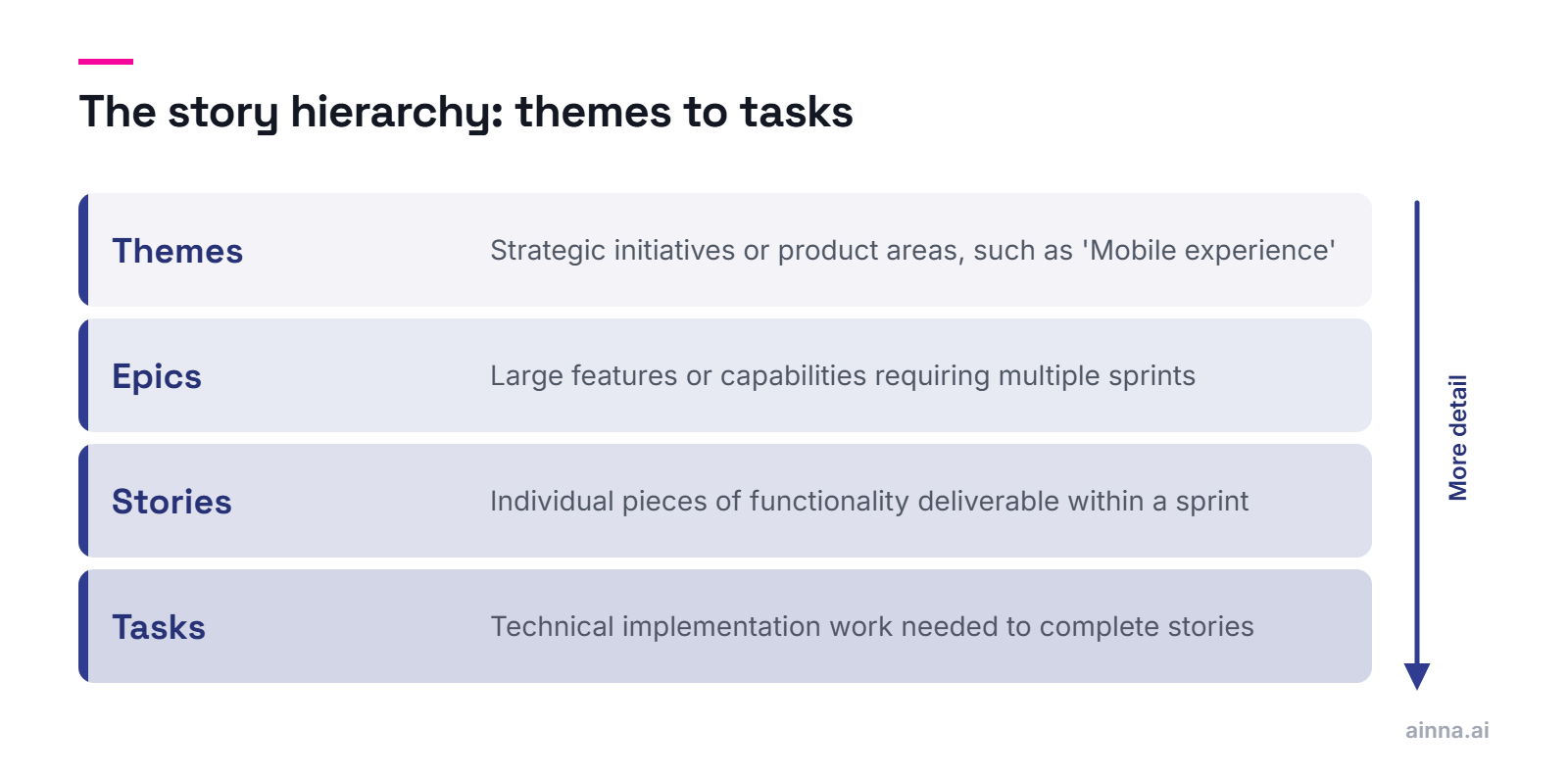
A typical hierarchy flows from themes (strategic goals) to epics (large features) to stories (deliverable increments) to tasks (implementation work). The right structure depends on your product's complexity, but the goal is always to enable both big-picture planning and detailed execution.
Themes - Strategic initiatives or product areas (e.g., 'Mobile Experience')
Epics - Large features or capabilities requiring multiple sprints
Stories - Individual pieces of functionality deliverable within a sprint
Tasks - Technical implementation work needed to complete stories
Use consistent naming and categorization for easier navigation
Add metadata like tags, status, and links to help manage complex backlogs
Key Takeaway
Complex products require tens of epics and hundreds of stories. Effective naming, categorization, and metadata management become essential for keeping teams aligned.
Complex products need tens of epics and hundreds of stories, so consistent naming, categories and metadata keep teams aligned.
Split stories when they're too large to complete in a single sprint, when they can be delivered incrementally to provide value sooner, or when different parts have different priorities. The goal is to maintain the user perspective while creating deliverable increments.
Split when a story is too large to estimate or complete in one sprint
Split by workflow steps - different stages a user goes through
Split by user type - different personas may need different variations
Split by data variations - different inputs or scenarios
Split by platform - web, mobile, API may have different priorities
Each resulting story should still be independently valuable
Key Takeaway
The test for a good split: each resulting story should make sense to a user and deliver value on its own. If you can only explain the value by referencing other stories, reconsider your split.
Backlog Management
Effectively maintaining and prioritizing your product backlog.
How do I prioritize user stories in the backlog?
#
Prioritization requires balancing user value, business value, complexity, effort, dependencies, and strategic alignment. Use frameworks like MoSCoW, RICE, or value/effort matrices to structure decisions - but remember that prioritization is ultimately about making tradeoffs explicit.
Estimate the value of each story - for users and for the business
Size the complexity and effort required to build and release
Assess feasibility and identify any technical risks
Identify cross-dependencies that enforce specific ordering
Consider strategic priorities and timing (market windows, competitive pressures)
Use frameworks like MoSCoW, RICE, or Kano to structure discussions
Key Takeaway
Prioritization can be tricky - it requires synthesizing multiple factors. The key is making tradeoffs transparent so stakeholders understand and support the decisions.
Should I remove low-priority items from the backlog?
#
No - don't discard, prioritize instead. Keep enriching your backlog with new stories from innovation activities, random ideas, and user feedback. De-scoped items are usually forgotten, while de-prioritized items remain discoverable and can become relevant when conditions change.
De-prioritize rather than delete - conditions and priorities change over time
Group and organize to manage potential noise from large backlogs
Use proper categorization and tagging for discovery
Archive only truly obsolete items (e.g., features that shipped differently)
Maintain a 'parking lot' for ideas that aren't prioritized but shouldn't be lost
Key Takeaway
Your backlog is an asset - it represents your product's potential. Managing it well means preserving optionality while maintaining focus on current priorities.
What is backlog refinement and how often should it happen?
#
Backlog refinement (or grooming) is the ongoing process of reviewing, clarifying, estimating, and prioritizing stories to ensure the backlog is ready for sprint planning. Many teams set aside a small, regular share of each sprint for refinement, often in scheduled sessions.
Review upcoming stories to ensure they're well-understood and ready
Break down large stories or epics into sprint-sized pieces
Add or update acceptance criteria and technical details
Estimate effort for stories approaching implementation
Re-prioritize based on new information or changing conditions
Identify dependencies, risks, and blockers early
Key Takeaway
Effective refinement ensures sprint planning goes smoothly and teams don't waste sprint time clarifying requirements. It's an investment that pays back in execution efficiency.
How do user stories help define the entire product?
#
A well-maintained backlog of user stories becomes a complete definition of your product - current and future. The team can think big, define the superset of stories, and then use prioritization to determine scope for each iteration, phase, or version.
Stories collectively define what the product does and for whom
Prioritization determines what gets built when - not what gets cut entirely
The backlog represents both current functionality and future vision
'Cut lines' for each release become a matter of resources and team velocity
Stories enable product scope discussions at multiple levels of detail
A complete backlog supports roadmap planning and stakeholder alignment
Key Takeaway
Think of your backlog as a living product specification. It evolves as you learn, but always represents your best current understanding of what users need. This is the foundation of a strong PRD - stories give it structure and specificity.
Agile Practices
Core agile ceremonies and practices that bring stories to life.
Sprint planning selects the stories the team forecasts it will deliver in the upcoming sprint, under one sprint goal. Well-refined stories with clear acceptance criteria enable the team to estimate accurately, identify dependencies, and commit with confidence to a realistic sprint goal.
Review prioritized stories from the refined backlog
Discuss each story to ensure shared understanding
Estimate effort using story points, hours, or t-shirt sizes
Select stories that fit within the team's capacity and velocity
Identify dependencies between stories and with other teams
Define a sprint goal that gives coherence to the selected stories
Key Takeaway
Good sprint planning depends on good refinement. If stories aren't ready, planning becomes requirements clarification - wasting everyone's time.
What's the difference between acceptance criteria and success metrics?
#
Acceptance criteria confirm that a story works as specified - 'it does what we said it would do.' Success metrics measure whether it achieves the intended outcome - 'users actually benefited.' You need both: acceptance controls development; success measures impact.
Acceptance criteria - Verify the feature works correctly: 'it works as it should'
Success metrics - Measure user outcomes: 'users are happy and engaged'
Acceptance is about delivery; success is about impact
Acceptance testing happens before release; success measurement happens after
A story can pass acceptance but fail to achieve success
Define both - at the product, epic, and/or story level
Key Takeaway
As a product leader, you need more than confirmation that features work - you need metrics capturing how happy and engaged real users are with what you've built.
What should be included in a Definition of Done?
#
Definition of Done (DoD) is a checklist of criteria that must be met before any story is considered complete. It ensures consistent quality and prevents 'almost done' stories from accumulating as technical debt. DoD should be agreed by the team and applied to every story.
Code complete and peer-reviewed
Unit tests written and passing
Integration tests passing
Acceptance criteria verified
Documentation updated
Deployed to staging/test environment
Product owner has reviewed and accepted
No critical bugs or security issues
Key Takeaway
A strong DoD prevents the accumulation of 'hidden work' that comes back to haunt you. It's better to deliver fewer complete stories than more incomplete ones.
Many agile teams use relative estimation with story points rather than hours. Story points measure complexity, effort, and uncertainty relative to other stories - making estimation faster and more accurate over time as teams calibrate against their actual velocity.
Use relative sizing: compare stories to each other rather than estimating absolute hours
Story points capture complexity, effort, and uncertainty combined
Use planning poker or similar techniques to surface different perspectives
Track velocity (points completed per sprint) to improve planning accuracy
Don't convert points to hours - they serve different purposes
Re-estimate if significant new information emerges during refinement
Key Takeaway
Estimation improves with practice. The goal isn't perfect predictions - it's informed planning and continuous improvement in forecast accuracy.
User stories help achieve cross-team clarity on 'what' to build, for 'whom', 'why', and 'when'. Since they're easy to define, understand, and revise, they become the standard way to communicate product functionality among both technical and non-technical team members.
Provide a common language across product, design, engineering, and business
Remove technical jargon that creates confusion and risk
Serve as entry points for technical deep-dives when needed
Enable meaningful discussions about scope and priorities
Help stakeholders understand what the team is building and why
Support alignment across multiple teams working on related features
Key Takeaway
The impact on collaboration and team dynamics can be significant. Stories let everyone contribute by thinking 'as a user' rather than requiring deep technical knowledge.
How do user stories encourage non-technical participation?
#
Modern software projects are complex, involving multiple technologies and implementation options that non-technical members can't fully understand. User stories remove this technical dimension, allowing anyone to contribute simply by thinking from the user's perspective.
Stories use plain language, not technical jargon or acronyms
Anyone can propose, challenge, or prioritize stories based on user understanding
Business stakeholders can participate meaningfully in backlog discussions
Designers can contribute user insights without technical constraints
Customer-facing teams can advocate for user needs they observe
Stories bridge the gap between business goals and technical execution
Key Takeaway
User stories democratize product definition. The best ideas often come from people closest to users - not necessarily those with the deepest technical expertise.
An always-on digital visualization of top-priority stories - organized by category, theme, or epic - is extremely useful for collaboration and alignment among teams and stakeholders. Story maps, dashboards, and visual boards make the product's shape visible to everyone.
Story maps show user journeys and how features fit together
Kanban boards visualize work in progress and bottlenecks
Roadmap views connect stories to timeline and milestones
Progress indicators show sprint and release status
Interactive screens in collaboration spaces enable ongoing alignment
Visual dashboards surface blockers, dependencies, and risks
Key Takeaway
Visualization transforms abstract backlogs into tangible product understanding. When everyone can see the same picture, alignment becomes easier.
User stories provide a great way to capture outputs from brainstorming sessions, design sprints, hackathons, and other innovation processes - where a stream of ideas must be captured in a compact, structured way that can flow into the product backlog.
Convert brainstorm outputs into properly formatted stories
Capture hackathon prototypes as stories for further development
Use stories to document design sprint outcomes
Link innovation stories to experiments and validation plans
Integrate new ideas into existing backlogs with proper prioritization
Maintain traceability from idea source to implemented feature
Key Takeaway
Stories become the bridge between innovation activities and product delivery. They ensure good ideas don't get lost and can be systematically evaluated and prioritized.
Tools and systems for managing stories effectively at scale.
Why shouldn't I manage user stories with sticky notes?
#
A wall of colorful sticky notes looks productive, but you need serious systems and tools to properly manage, enrich, prioritize, and share stories at scale. Sticky notes work for initial brainstorming but fail for ongoing product management.
Sticky notes can't be searched, filtered, or linked
They lack metadata like status, priority, estimates, and history
Remote and distributed teams can't access physical boards
Stories get lost, damaged, or fall off the wall
No integration with development and deployment tools
Difficult to maintain version history and track changes
Key Takeaway
It's fine to capture initial stories on sticky notes during brainstorming - but document them in a proper product management system immediately. Otherwise you'll miss opportunities for clarity, efficiency, and collaboration.
Properly managing story metadata - status, progress, links, priorities, assignments, estimates, and tags - is essential for navigating and understanding complex backlogs. After initial revisions, avoid renaming or drastically changing descriptions to prevent confusion.
Status - Current state (new, refined, in progress, done)
Priority - Relative importance and sequencing
Estimates - Story points or effort sizing
Assignments - Who's working on it
Sprint/Release - When it's planned for delivery
Tags/Labels - Categories, themes, or cross-cutting concerns
Links - Related stories, epics, specs, designs
History - Changes, comments, decisions over time
Key Takeaway
Good metadata hygiene makes the difference between a backlog that's useful and one that's overwhelming. Invest in keeping it current.
Do user stories replace technical specifications?
#
No - stories and specifications serve different purposes. Stories define 'what' users need; specifications detail 'how' to build it. Having a prioritized set of well-defined stories is great, but the team still needs technical artifacts that provide implementation details.
Stories define user needs; specs define technical implementation
Stories are entry points for detailed technical documentation
Specs should reference the stories they implement
Stories remain stable; specs evolve as implementation proceeds
Stories are understood by everyone; specs target technical audiences
Both are needed - stories without specs leave engineers guessing
Key Takeaway
Stories and specifications are complementary. Stories provide the 'why' and 'what' that keep technical work grounded in user value; specs provide the 'how' that enables engineering execution.
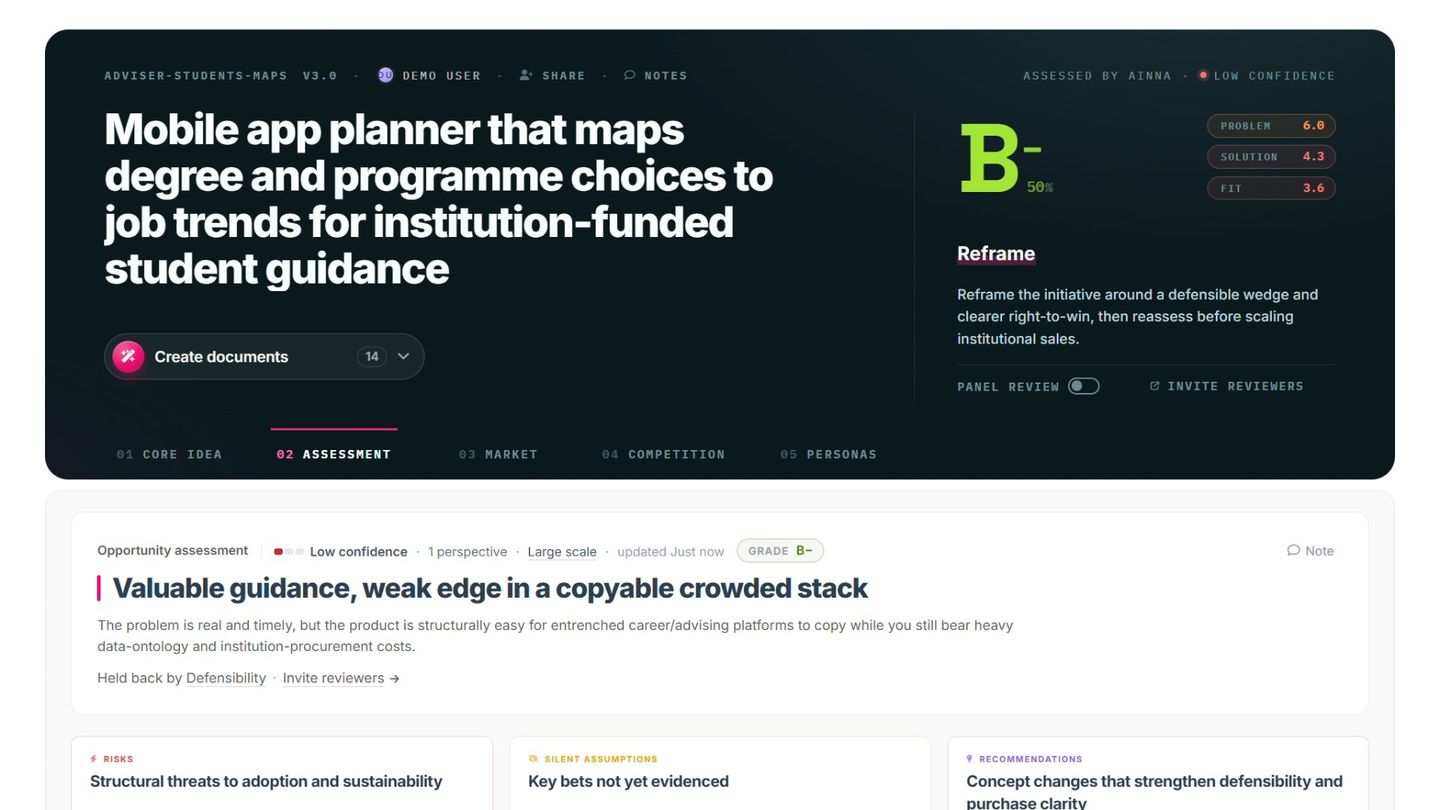
Yes - AI can accelerate story creation: Ainna drafts properly formatted user stories as part of the PRD it generates, and AI assistants can suggest missing scenarios and keep the format consistent. AI handles the structure; you provide the user insight.
AI can generate initial story drafts from product descriptions or requirements
Ensures consistent formatting and complete value statements
Can suggest missing stories or edge cases you might overlook
Helps maintain appropriate level of detail - not too technical, not too vague
Accelerates documentation of prototypes and proof-of-concept outputs
Human review remains essential for user insight and prioritization
Key Takeaway
AI amplifies your effectiveness but doesn't replace user understanding. Use it to accelerate the mechanics of story writing while focusing your expertise on the user insights that make stories valuable.
Ainna applies the Innovation Mode methodology to your idea and writes the PRD, the one-pager and the pitch deck from the same conversation, as editable documents in your branding.

![A user story split into three parts: 'As a [role or persona]' for the perspective, 'I want [goal or need]' for the need, and 'so that [benefit]' for the value.](/images/figures/user-story-format-anatomy.png)